Home Security Systems in NZ — A Buyer's Guide
Published 06 February 2026 · Updated 18 May 2026 · Written by the ValueHub team · Reviewed by Steve Baron
Home Security Systems in NZ — A Buyer's Guide
The thing most buyers get wrong about a home security system isn't the panel, the brand or the price. It's that they buy a system without deciding what they actually want it to do. Deterrence, evidence and notification are three different jobs, and they need different hardware. A camera in the wrong place gives you a lovely clip of a stranger's hoodie. A motion sensor pointed at a heater gives you a false alarm at 3am.
There's a second trap, and it's contractual rather than technical. A monitored system carries a recurring charge on a minimum term, and that charge is often the biggest number in the whole decision — bigger than the hardware. It just isn't on the first quote. If the panel is locked to one provider and the app stops working when you cancel, you didn't buy a system. You bought a subscription with hardware attached.
We've split this guide into what the system is made of, how to design it so it actually gets used, and how to read the monitoring contract before you sign it. If you're at the hiring stage, our home security specialist hiring guide covers the licence classes and the register check.
How We Researched This Guide
We built this from the standards, not from sales pages. The installation benchmark is AS/NZS 2201.1:2007, which sets minimum requirements for the design, installation, commissioning and maintenance of intruder alarm systems. The signalling layer is covered separately by AS/NZS 2201.5:2008 — and that split matters, because 2201.1 stops at the outgoing signalling facilities and does not cover the transmission of signals from your house to a remote monitoring centre.
One thing surprised us. New Zealand's privacy rules changed on 1 May 2026 when information privacy principle 3A came into force under the Privacy Amendment Act 2025. It's a new notification obligation covering personal information collected from a source other than the person concerned — which is exactly what a cloud camera does. The principles stayed numbered 1 to 13, with 3A inserted after 3. We've set out the detail from the Privacy Act 2020 on legislation.govt.nz. We also checked the electrical side against AS/NZS 3000:2018 and the Electricity (Safety) Regulations 2010.
ValueHub's Trusted Providers
We've researched the providers below — here are our picks for this category.
ADT Security keeps your home and business protected with smart alarms, 24/7 monitoring, and fast-response support. From break‑in detection to connected cameras, ADT gives you reliable Kiwi security you can trust. Stay safe, stay in control, and safeguard what matters most with ADT’s proven protection.
The Quick Summary (60-Second Version)
Six things worth knowing before you spend anything:
- Decide whether you're buying deterrence, evidence or notification first — the hardware follows from that, not the other way round.
- Wired systems are harder to jam and harder to install. Wireless is the reverse. Neither is simply "better".
- Most underperforming systems fail on sensor placement, not on the panel. Pets, heat sources and moving curtains cause most false alarms.
- Ask what standard the installation is to, and ask for the commissioning record in writing. AS/NZS 2201.1:2007 is the benchmark.
- Ask whether you own the hardware or effectively rent it. If the app dies when you cancel, you don't own it.
- Where footage is stored, how long it's kept and who can access it are privacy questions, and they're yours to answer, not your installer's.
What a System Is Actually Made Of
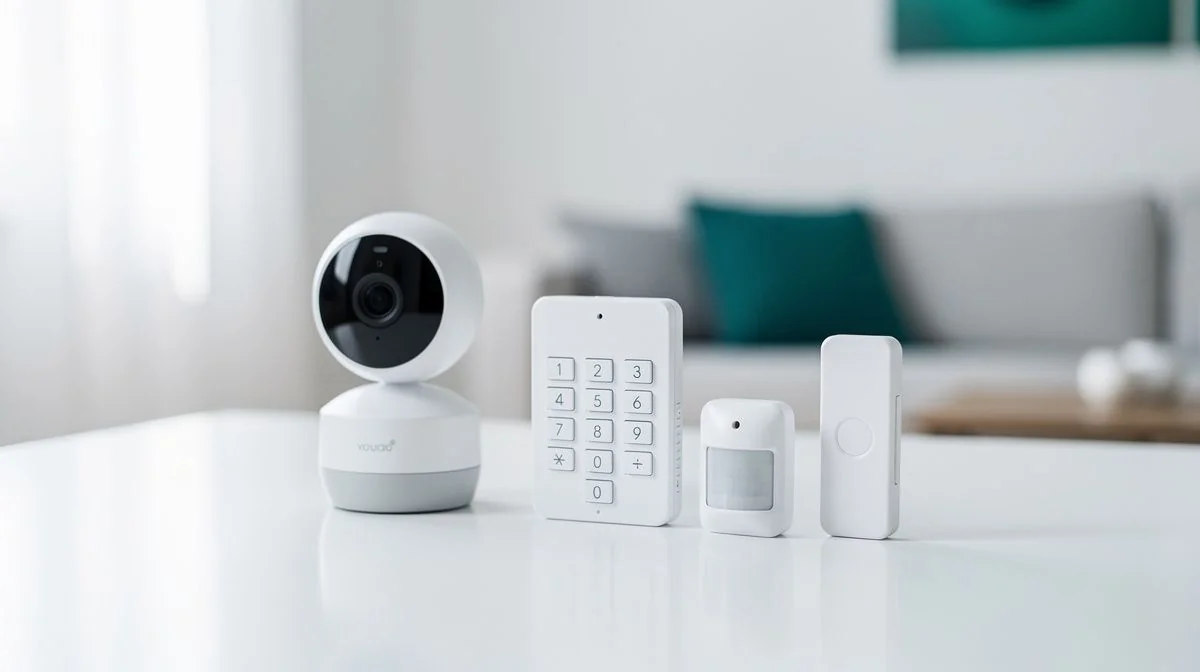
Every system has the same six layers, and the quote you get is really a set of decisions about each one. The control panel or hub is the brain. It decides whether the system is expandable, whether it can be monitored at all, and whether it keeps working when the internet drops. That last point gets skipped constantly, and it's the one that matters in the specific scenario you bought the system for.
Detection is the layer people get wrong. Passive infrared motion sensors, door and window contacts, glass-break detection, vibration sensors and perimeter beams all detect different things. A motion sensor and a contact sensor are not interchangeable. Most poorly performing systems perform poorly because the wrong detection type went into the space — not because the panel was cheap.
Then there's the warning layer: internal and external sounders and strobes. Whether the siren is on an outside wall, and whether it's audible from the street, is a design decision rather than an accessory. After that comes the signalling path — how the alarm reaches a monitoring centre or your phone. This is the layer that fails first and the layer most quotes gloss over. AS/NZS 2201.5 exists precisely because it's a separate problem from the rest of the installation.
Designing It So You Actually Use It
The wired-versus-wireless question is a genuine trade-off, not a right answer. A wired system costs more to install and is far harder to jam. A wireless system is cheaper and faster to install, and its radio link is the thing an intruder would attack. Which one suits you depends on the property and the threat you're actually managing.
Sensor placement is where most of the value sits, and it's the most underrated part of the job. A motion sensor that sees a hot water cylinder, a pet, a curtain moving in front of a heater, or sun tracking across a room through a skylight will false-alarm. A system that false-alarms is a system the household stops arming. Within a few months it's a very expensive doorbell.
Whether there are pets, and whether the sensors are pet-immune, is a design input rather than an afterthought. So is the household's routine — whether anyone is home during the day, whether a cleaner or a contractor has a code, and whether the system gets armed every time someone leaves. Systems that don't match the routine get abandoned.
| Objective | What it needs | What it doesn't |
|---|---|---|
| Deterrence | Visible external sounders, strobes, signage, well-lit approach | High-resolution cameras |
| Evidence | Cameras in the right places, adequate lighting, enough storage | A loud siren |
| Notification | Reliable signalling that survives a power or internet cut | Extra sensors |
| All three | Correct detection type per space, and a commissioning record | A bigger panel |
The Monitoring Contract Is the Real Commitment
A monitored system carries a recurring monthly charge, usually on a minimum term. That charge is a bigger lifetime cost than the hardware in many cases, and it's the item people forget to compare because they compared the install quote instead. Multiply the monthly figure by the minimum term before you decide anything.
The questions to ask are straightforward. What's the monthly cost? What's the minimum term? What's the notice period? Does the price increase? What happens if the internet or phone line at the property fails? Does the monitoring include a response by a person, and how long do they take? And what happens to the hardware if you cancel?
That last question is the ownership trap. If the system is only usable while the monitoring contract is running — because the panel is locked to one provider, or the app stops working without the subscription — then you've bought a subscription, not a system. Ask before you sign, not after.
Ask the installer to state in writing which standard the installation is to, and to provide a commissioning record. AS/NZS 2201.1:2007 is the benchmark. A company that can't name a standard is a company worth walking away from.
Questions You Might Have
Do I need professional monitoring, or is self-monitoring enough?
It depends on what you want to happen when you're asleep or away. Professional monitoring means someone responds to the alarm even when you can't. Self-monitoring relies on you checking your phone, which is fine if you're attentive and not fine if you're on a plane. Ask what the monitoring centre actually does, and how long they take.
Will a security system lower my insurance premium?
Sometimes, but don't buy a system for that reason alone. Insurers vary on what they recognise and what discount they apply. Ask your insurer directly what they'd need to see — a monitored alarm, a certain standard of installation, or a certificate — before you commit to a provider.
How many false alarms should I expect?
Ideally none once the system is tuned. False alarms usually trace back to sensor placement, pets, heat sources or moving curtains, and they're fixable. Ask your installer how they'll reduce them, and what your options are if the system keeps going off. A system the household stops arming is worthless.
Can I install a wireless system myself?
Some DIY kits are designed for it. But if the system needs electrical work, new circuits or cable runs through the building envelope, that's regulated work. Cable runs and penetrations are building work and must comply with the Building Code even where no consent is required. Our electrician hiring guide covers that side.
Who has to be licensed to install this?
Security technicians need a Certificate of Approval, and companies need a Company Security Licence. There's a wrinkle: a registered electrician is exempt from needing a Certificate of Approval as a Security Technician for installing and servicing security systems — but if they sell a system or advise you on having one installed, they're deemed to be acting as a Security Consultant and need a Certificate of Approval in that category. We've covered the classes and the register check in the hiring guide.
What Matters Most
Buy the design, not the box. The panel is the least interesting part of a home security system. What decides whether it works is where the sensors sit, what type of detection each space gets, and whether the signalling survives a power cut. Get those right and a modest system outperforms an expensive one that was installed by rote.
Then read the contract before you read the brochure. The recurring charge on its minimum term is usually the largest number in the decision, and the ownership question — do you own the hardware, or does it stop working when you cancel — is the one that determines whether you can walk away.
And treat the footage as what it is: personal information you're responsible for. Decide the field of view before the camera goes up, decide how long you keep recordings, and know who can see them. A system that protects your home shouldn't create a problem with your neighbour.

The ValueHub Team built this site because finding clear, unbiased financial information in New Zealand was harder than it should be. Every guide is based on real research — we compare the actual fees, terms, and fine print so you don't have to. Our tip: shop around every year, read the policy docs, and never assume loyalty gets you the best deal.— The ValueHub Team
Try our Calculators
Use these free tools to crunch the numbers:
KiwiSaver Fund Comparison
Compare fees, returns, and risk levels across every KiwiSaver fund — the most up to date data in New Zealand.
Currency Converter — USD to NZD
Convert US Dollars to New Zealand Dollars instantly. See the latest exchange rate and 30-day trend.
Mortgage Repayment Calculator
Calculate your weekly, fortnightly, or monthly mortgage repayments. Free NZ mortgage calculator — try different rates, terms, and repayment frequencies.
Compound Interest Calculator
See how your savings grow with compound interest over time. Free NZ compound interest calculator with yearly, monthly, and weekly compounding options.
Term Deposit Calculator
Calculate your term deposit returns before you lock in. Compare interest earned across different terms and rates with ValueHub's free calculator.
Savings Goal Calculator
Calculate how long it will take to reach your savings goal — and what monthly deposit you need to get there. Free NZ savings planner.
Related Articles
How to Choose a Mechanic in New Zealand
Learn how to choose a reliable mechanic in NZ, from WoF checks to repairs, with tips on certifications and finding trusted local garages.
guideCar Servicing Costs in NZ — What to Expect
Learn what car servicing costs in NZ, from minor services at $150 to major ones, plus how to budget and avoid costly surprises.