Best Computer Repair Technicians in Tauranga
Published 11 September 2026 · Written by the ValueHub team · Reviewed by Steve Baron
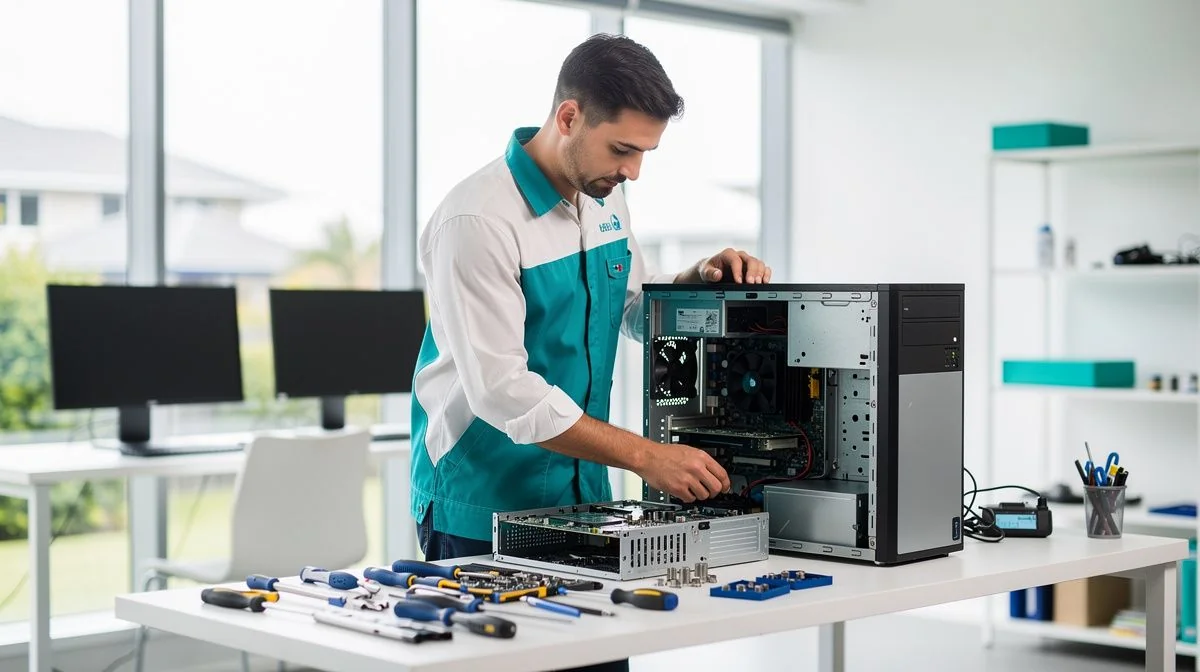
Computer Repair in Tauranga: Retirees, Scams and Salt Air
Tauranga's repair market looks different from the rest of the country. The population is older than the national average, and much of the work isn't hardware at all. It is the patient business of helping someone whose computer has been taken over by a scam, or whose email has stopped working after a password was handed over.
That does not mean hardware is rare. Coastal humidity and salt air corrode connectors, and the port and horticulture sectors keep commercial machines running in some of the country's most demanding conditions.
What Computer Repair Costs in Tauranga
Independent shops generally charge between $80 and $150 an hour, with a one-hour minimum common. National chains often work out to $129 to $199 an hour once you unpack their bundled tiers. Software troubleshooting, usually $79 to $89, is the job most local customers actually need.
| Job | Typical cost |
|---|---|
| Independent labour | $80–$150 per hour |
| Chain or bundled labour | $129–$199 per hour equivalent |
| Laptop repair, including parts | $75–$450 |
| Desktop repair, including parts | $75–$350 |
| Software troubleshooting | $79–$89 |
| Desktop motherboard replacement | $200–$350 |
| Business break/fix support | $120–$190 plus GST per hour |
| Managed support per user | $80–$130 plus GST per month |
Indicative ranges from local providers. Fully managed support runs $130–$220 plus GST per user per month.
On-site work suits customers who would rather not disconnect and transport a desktop. A call-out usually includes the first 30 to 60 minutes, and travel is often covered, which makes it a reasonable option for a home visit, especially for someone who needs help at the machine rather than away from it.
Our Trusted Computer Repair Technicians
We feature businesses that demonstrate strong performance, proven experience, and consistently positive customer feedback. Some of the providers listed may have commercial relationships with us, but all are selected based on quality and reliability.
To begin, reach out to them and speak with them directly — this helps you explain your job, ask questions, and confirm whether they're the right fit.
Silver Service IT - IT for Commercial and Residential. Row midpoint Shape Decorative svg added to bottom.
Built Around You - Custom PCs without compromise. Designed around your exact needs and carefully crafted using top-quality components for maximum performance, efficient cooling, high airflow, and long-term reliability.
Repair or Replace: The $250–$400 Question
Tauranga's average property values are the highest of any main centre outside Auckland, but much of the customer base lives on a fixed retirement income. That makes the repair-versus-replace calculation unusually sharp here, and worth doing properly rather than by feel.
A laptop or desktop more than a few years old may only be worth $250 to $400 on the used market. Once a repair quote passes $200, you may be spending most of the machine's value to keep it alive. If the fault is a simple one and the rest of the machine works well, that can still be money well spent. If the hardware is tired in several places, it is not.
Ask for the total, including parts and labour, and ask what you owe if the repair doesn't solve the problem. Those answers matter more than the headline hourly rate.
The 60-Second Version
- Independent Tauranga shops charge roughly $80 to $150 an hour, usually with a one-hour minimum.
- National chains can work out to $129 to $199 an hour equivalent through bundled tiers.
- Software troubleshooting is typically $79 to $89 and covers most scam and email problems.
- A laptop repair including parts runs $75 to $450; a desktop runs $75 to $350.
- A machine worth only $250 to $400 rarely justifies a repair above $200.
- Back up before any repair. Data recovery is a separate service and often costly.
What Makes Tauranga Different
An older customer base that wants plain answers
Retirees make up a large share of local demand, and the most common problems are not broken screens. They are remote-access scams, pop-up warnings, locked browsers and compromised email accounts. A good shop here explains what happened in plain language and shows you what changed, rather than handing back the machine and hoping the lesson stuck.
Coastal humidity and salt corrosion
Sea air and humidity corrode ports, ribbon connectors and fan bearings, and the damage appears slowly rather than all at once. Homes close to the harbour and the beach see it most. Keeping a laptop off the floor, away from open windows and out of the garage helps, and an occasional internal clean is cheap insurance against a larger failure.
Horticulture and the port
Kiwifruit and horticulture businesses and the Port of Tauranga generate steady commercial demand. Packhouse and office machines work in humid, dusty conditions and run hard through seasonal peaks, so cooling and power supplies are the usual failure points. Business support runs $120 to $190 plus GST an hour for break/fix work.
High property values, fixed retirement incomes
Average values here are the highest of any main centre outside Auckland, yet much of the customer base is on a fixed income. That combination makes the repair decision sharper than the property market alone would suggest. A machine worth $250 to $400 isn't worth repairing for more than $200 unless the fault is minor and the rest is sound.
How We Researched This Guide
We collected advertised labour rates, minimum charges and call-out terms from computer repair businesses in the region, then compared them with the bundled pricing national chains publish. A range reflects the spread of quotes for one job, not a single shop's price list.
We also worked through the repair-versus-replace arithmetic, because that is where most money is lost. We do not rank or recommend individual businesses, and we do not take payment for including any provider.
How to Choose a Computer Repair Technician
Start with the diagnosis. Many shops assess a machine at no charge and explain the fault before you commit, while others charge a fixed assessment fee. Ask which applies before you leave the machine, and ask for the explanation in writing if you would rather review it later.
Then ask about parts and warranty. Reputable-brand replacements cost more than generic ones but generally last longer, and the difference matters most on storage and power supplies. Ask what will be fitted and what covers it if the part fails.
If you suspect a scam, say so when you drop the machine in. It changes what the technician looks for, and it may mean you need to change your email and banking passwords rather than remove a virus.
Warning signs
- A quote given without seeing the machine, then revised upward once it is open.
- No written quote or job sheet before work begins.
- No mention of your backup at any point.
- Anyone who asks for remote access to your computer without you making the first call.
- Pressure to replace the machine before a diagnosis.
What a Repair Actually Involves
For most faults, the sequence is the same. A technician confirms the diagnosis, checks that your data is safe, quotes parts and labour, then opens the machine. Diagnostics are often free, and some shops charge a fixed assessment instead. If the fault turns out to be different once the case is open, a good shop calls you before spending more.
Software work covers most local jobs and often finishes the same day. Troubleshooting at $79 to $89 covers virus removal, browser problems, startup errors and a slow machine. Data recovery is a separate service with its own quote and is usually the most expensive item on the list.
Questions You Might Have
I think I have been scammed. What should I do first?
Disconnect the machine from the internet and change your email and banking passwords from a different device. Then take it to a repairer and tell them plainly what happened, because removing the software is only part of the fix. A shop that explains what the scam did is more useful than one that reinstalls the system.
Should I repair an older desktop or replace it?
Check the quote against the machine's value. A desktop more than a few years old may be worth only $250 to $400, so a repair over $200 is a large share of that. If the fault is isolated and the rest works well, repair is usually the better value, particularly for a machine set up the way you like it.
Is on-site help available for a home visit?
Yes, and for some customers it is the better option because the problem is often about how the machine is set up rather than the machine itself. A call-out typically includes the first 30 to 60 minutes, and travel is often covered. Ask what the visit includes before booking.
How do I protect an email account that was accessed?
Change the password, turn on two-factor authentication if the provider offers it, and check the account's forwarding rules for anything you did not set up. Ask the repairer to help with this rather than treating it as separate work, because a compromised email account is the real risk.
What Matters Most in Tauranga
For most people here, the machine is a tool for staying in touch with family, managing money and reading the news, and it needs to work reliably rather than impress anyone. Spend on the fault, not the hardware, and treat any request for remote access with suspicion unless you started the conversation.
For the national picture — typical rates, how call-outs work and the questions worth asking first — start with our computer repair technicians guide.

The ValueHub Team built this site because finding clear, unbiased financial information in New Zealand was harder than it should be. Every guide is based on real research — we compare the actual fees, terms, and fine print so you don't have to. Our tip: shop around every year, read the policy docs, and never assume loyalty gets you the best deal.— The ValueHub Team
Try our Calculators
Use these free tools to crunch the numbers:
KiwiSaver Fund Comparison
Compare fees, returns, and risk levels across every KiwiSaver fund — the most up to date data in New Zealand.
Currency Converter — USD to NZD
Convert US Dollars to New Zealand Dollars instantly. See the latest exchange rate and 30-day trend.
Mortgage Repayment Calculator
Calculate your weekly, fortnightly, or monthly mortgage repayments. Free NZ mortgage calculator — try different rates, terms, and repayment frequencies.
Compound Interest Calculator
See how your savings grow with compound interest over time. Free NZ compound interest calculator with yearly, monthly, and weekly compounding options.
Term Deposit Calculator
Calculate your term deposit returns before you lock in. Compare interest earned across different terms and rates with ValueHub's free calculator.
Savings Goal Calculator
Calculate how long it will take to reach your savings goal — and what monthly deposit you need to get there. Free NZ savings planner.
Computer Repair Technicians in Other Cities
Latest Guides & Reviews
KiwiSaver and Tax — PIR, ESCT and What You Actually Pay
KiwiSaver is taxed twice — ESCT on your employer's contribution and your PIR on the fund's returns. How each rate is set, and the two most members never check.
reviewInvestNow KiwiSaver Scheme Review
InvestNow KiwiSaver review: 45 open funds, fund charges from 0.03 to 1.38 per cent, and net returns to 30 June 2026.
reviewKernel KiwiSaver Scheme Review
Kernel KiwiSaver review: 25 open funds, fund charges from 0.25 to 0.45 per cent, and net returns to 30 June 2026.
guideTax Debt in New Zealand — The Numbers
Official figures on New Zealand's overdue tax debt: the total, the collectable share, which customer groups hold it, and how much is repaid or written off.