Best Screen Printers in Wairarapa
Published 08 April 2025 · Updated 18 August 2026
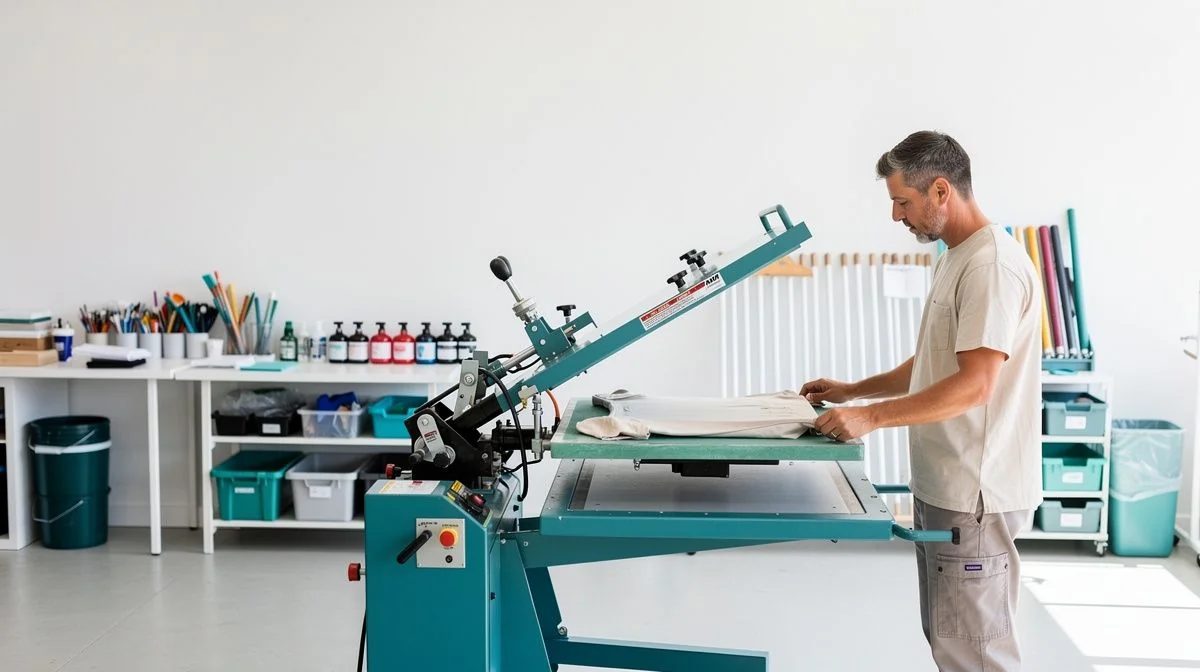
Best Screen Printers in Wairarapa
If you’re looking to get custom t-shirts, hoodies, or merchandise printed for your business, sports club, or event in Wairarapa, you’ve got plenty of local options. Screen printing is a popular choice because it’s cost-effective for bulk orders and produces durable, long-lasting designs.
Wairarapa is home to several screen printers who understand the local market. Whether you’re in Masterton, Carterton, Greytown, or out in the rural areas, there’s a printer not far away. The key is finding one that matches your project’s size, timeline, and budget.
This page gives you a straightforward guide to choosing a screen printer in Wairarapa. We cover what to look for, essential questions to ask, and practical tips to get the best results. No fluff — just useful, local advice.
What to look for when hiring a Screen Printer in Wairarapa
Quality and consistency
First impressions matter. Ask to see samples of their recent work — ideally on the same garment type you’re planning to print. Check for clean edges, even ink coverage, and proper alignment. A good printer will be happy to show you examples.
Equipment and capabilities
Professional screen printers use commercial-grade presses and curing units. Ask about the number of colours they can print, the maximum print area, and whether they offer simulated process or spot colour printing. For detailed artwork, you’ll want a printer with modern exposure units and good screen tension control.
Turnaround time
Screen printing involves several steps: artwork preparation, screen making, setup, printing, and drying. Ask about their typical turnaround. If you need items in a hurry, some printers offer rush services for an extra fee. But for best results, allow at least two weeks from artwork approval to delivery.
Customer service and communication
A printer who listens and communicates clearly will save you headaches. They should offer a proof (digital or physical) before printing, answer your questions promptly, and be upfront about costs and limitations. Look for a business that treats you like a partner, not just an order number.
Local reputation and experience
Check online reviews, ask for referrals from other local businesses or clubs, and see how long the printer has been operating in Wairarapa. Established printers often have better knowledge of local preferences and regulations. A quick search on Facebook or Neighbourly can give you honest feedback.
Key questions to ask before hiring
Before you commit, ask these questions to ensure the printer is the right fit for your project:
- What is your minimum order quantity? – This varies from printer to printer. Some will do small runs of 12–20 items, others require 50 or more.
- Do you charge a setup fee? – Setup covers screen preparation and registration. Many printers include it in the per-item price for larger orders.
- What file formats do you accept? – Vector files (AI, EPS, PDF) give the best results. If you only have a JPEG, ask if they can convert it.
- How many colours can you print per design? – Each colour requires a separate screen, which adds cost. Most printers handle up to six colours, some more.
- Do you offer a physical sample or proof? – Digital proofs are common, but a printed sample on the actual garment is more reliable.
- What is your typical turnaround – from artwork approval to delivery? – Standard is 7–14 working days. Rush services may be available.
- What is your policy on reprints? – If something goes wrong (print error, wrong sizing, colour mismatch), find out whether they fix it free of charge.
- Can you print on different garment types and colours? – Not all printers handle dark garments, hoodies, or performance wear equally well. Ask specifically.
- Do you offer design assistance? – If your artwork needs tweaking or you need a design from scratch, some printers have in-house graphic designers.
- What is your payment and deposit policy? – Many require a 50% deposit to start, with the balance due on delivery or collection.
Tips for getting the best results
Prepare high-quality artwork
The better your artwork, the better your print. Use vector files if possible — they scale cleanly without pixelation. Keep your design within the recommended print area (usually A3 or smaller for garments). Remove any unnecessary elements that could complicate the screen-making process.
Choose the right garment
Not all t-shirts or hoodies print the same way. Heavy cotton tees give a soft vintage feel, while tri-blends offer a modern look and feel. Talk to your printer about the best option for your design and your audience. A good printer will recommend the most suitable fabric weight and colour to make your design pop.
Be clear about your colour expectations
Screen printing uses opaque inks, so colours print differently on light versus dark garments. If you have a specific Pantone colour reference, provide it. Otherwise, ask your printer to share a colour chart or swatch. Remember that screen printing inks dry a shade darker than they appear wet.
Ask for a strike-off
A strike-off is a physical sample printed on the actual garment. It costs a little extra but is well worth the investment, especially for large or multi-colour orders. You can approve the colour, placement, and feel before committing to the full run.
Plan your order carefully
Order a few extra items in each size — you’ll likely find you need them later. Reordering the same design later might incur setup fees again if the screens are not kept. Some printers offer to store screens for a

The ValueHub Team built this site because finding clear, unbiased financial information in New Zealand was harder than it should be. Every guide is based on real research — we compare the actual fees, terms, and fine print so you don't have to. Our tip: shop around every year, read the policy docs, and never assume loyalty gets you the best deal.— The ValueHub Team
Try our Calculators
Use these free tools to crunch the numbers:
KiwiSaver Fund Comparison
Compare fees, returns, and risk levels across every KiwiSaver fund from all 31 NZ providers.
Currency Converter — USD to NZD
Convert US Dollars to New Zealand Dollars instantly. See the latest exchange rate and 30-day trend.
Mortgage Repayment Calculator
Calculate your weekly, fortnightly, or monthly mortgage repayments. Free NZ mortgage calculator — try different rates, terms, and repayment frequencies.
Compound Interest Calculator
See how your savings grow with compound interest over time. Free NZ compound interest calculator with yearly, monthly, and weekly compounding options.
Term Deposit Calculator
Calculate your term deposit returns before you lock in. Compare interest earned across different terms and rates with ValueHub's free calculator.
Savings Goal Calculator
Calculate how long it will take to reach your savings goal — and what monthly deposit you need to get there. Free NZ savings planner.
Screen Printers in Other Cities
Latest Guides & Reviews
New Zealand Financial Markets Authority Guide: Investor Protection in NZ
Protect your investments with this practical guide to the FMA — how to check licences, spot scams, and what to do if a provider fails. Verified against...
comparisonEV Home Charger NZ: Costs & Buying Guide
Compare EV home charger costs in NZ — verified prices from $1,299, installation fees, smart features, and what actually matters for your home's power supply.
guideThe Most Popular EVs in New Zealand
The best-selling electric cars in New Zealand, ranked by official registration data. Top BEV and PHEV models and brands, updated monthly.
guideEV Market Stats
New Zealand's EV market in numbers — market share, fleet size, top-selling models and used imports, updated with the latest NZTA and MIA data.