Best Computer Repair Technicians in Auckland
Published 11 September 2026 · Written by the ValueHub team · Reviewed by Steve Baron
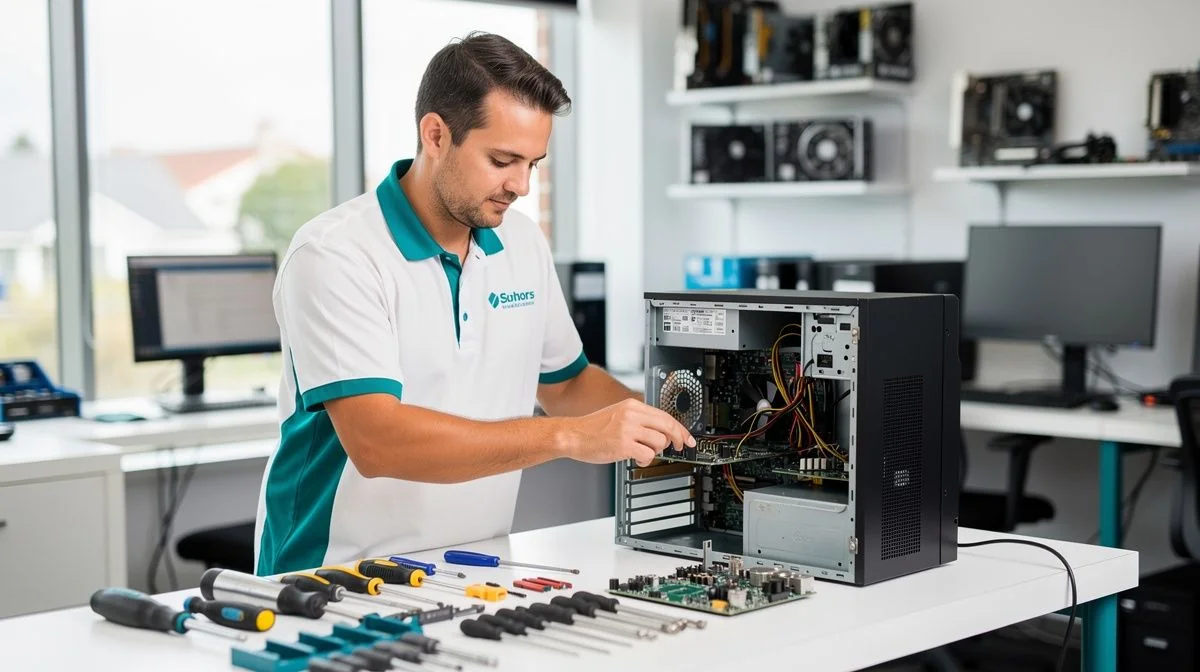
Computer Repair in Auckland: A Crowded Market With a High Cost Base
Auckland has more computer repair businesses than anywhere else in the country, and that competition works in your favour. Quotes for the same job vary between shops, most suburbs have a workshop within a short drive, and you can usually have a machine looked at the same week.
The counterweight is cost. This is the highest labour and cost base in New Zealand, and trades here typically run 15 to 20 per cent above national rates. You are paying for a technician's time in a market where wages, rent and travel all cost more than they do elsewhere.
What Computer Repair Costs in Auckland
Independent shops generally charge between $80 and $150 an hour, with a one-hour minimum common even on a small job. National chains often work out to $129 to $199 an hour once you unpack their bundled service tiers. That buys consistency and a national warranty, not a lower price.
| Job | Typical cost |
|---|---|
| Independent labour | $80–$150 per hour |
| Chain or bundled labour | $129–$199 per hour equivalent |
| Laptop repair, including parts | $75–$450 |
| Desktop repair, including parts | $75–$350 |
| Software troubleshooting | $79–$89 |
| Desktop motherboard replacement | $200–$350 |
| Business break/fix support | $120–$190 plus GST per hour |
| Managed support per user | $80–$130 plus GST per month |
Indicative ranges from local providers. Fully managed support runs $130–$220 plus GST per user per month.
Travel is what pushes an Auckland quote up fastest. The first 30 to 60 minutes of an on-site call-out is usually included, and travel is often covered, but a cross-town trip in traffic can consume time before any work begins. Ask before you book.
Our Trusted Computer Repair Technicians
We feature businesses that demonstrate strong performance, proven experience, and consistently positive customer feedback. Some of the providers listed may have commercial relationships with us, but all are selected based on quality and reliability.
To begin, reach out to them and speak with them directly — this helps you explain your job, ask questions, and confirm whether they're the right fit.
Built Around You - Custom PCs without compromise. Designed around your exact needs and carefully crafted using top-quality components for maximum performance, efficient cooling, high airflow, and long-term reliability.
SMT Trading Limited, a premier Laptop Repair specialist with two decades of IT experience, provides expert Laptop and Computer Repair services in Epsom, Auckland. As your trusted technology partner, our certified technicians offer a wide range of services including laptop, MacBook, MacBook Air, iPad, iPhone, screen rep
Repair or Replace: The $250–$400 Question
A laptop or desktop more than a few years old is often worth only $250 to $400 on the used market. Once a repair quote passes $200, you may be spending most of the machine's value to keep it running. That is the point where the decision deserves real thought.
It does not automatically mean replace. If the fault is isolated — a worn battery, a failing drive, a cracked screen — a repair at the lower end of the range is usually the better call, because the rest of the machine is sound. The arithmetic changes when the quote approaches what the hardware is worth.
Ask two questions before approving work. What is the total, including parts and labour? If the repair doesn't fix the fault, what do you owe? A shop that answers both plainly is worth more than one that quotes low and invoices high.
The 60-Second Version
- Independent Auckland shops charge roughly $80 to $150 an hour, usually with a one-hour minimum.
- National chains can work out to $129 to $199 an hour equivalent through bundled tiers.
- A laptop repair including parts runs $75 to $450; a desktop runs $75 to $350.
- Software troubleshooting is typically $79 to $89 and is the cheapest fix on the list.
- A machine worth only $250 to $400 rarely justifies a repair above $200.
- Back up before any repair. Data recovery is a separate service and often costly.
What Makes Auckland Different
Salt air and humid summers
Auckland's humid summers and coastal salt spray are hard on electronics, particularly near the harbours and on the west coast. Salt corrodes ports, connectors and fan bearings, and the damage stays invisible until a laptop refuses to charge or a desktop shuts down under load. If you live near the water, internal cleaning matters more than it does inland.
A housing stock that runs hot and dusty
The region's large stock of older villas, bungalows and plaster-clad homes shapes repair work here. Many were built without a dedicated home-office circuit, and dust from old subfloors finds its way into desktop towers. A machine that runs hot and collects dust fails sooner, and a clean-out costs far less than the motherboard it protects.
Businesses spread across a very large city.
Auckland businesses run from the CBD to Albany, Henderson and Botany, and an on-site visit across town can eat an hour in traffic. That is why a call-out usually includes the first 30 to 60 minutes and often covers travel, though long runs may not be. For a small office, remote support is frequently the faster first step.
How We Researched This Guide
We collected advertised labour rates, minimum charges and call-out terms from computer repair businesses in the region, then compared them with the bundled pricing national chains publish. Where a range appears, it reflects the spread of quotes for the same job, not one shop's price list.
We also worked through the repair-versus-replace arithmetic, because that is where readers most often waste money. We do not rank or recommend individual businesses, and we do not take payment to include any provider.
How to Choose a Computer Repair Technician
Start with the diagnosis. Many shops assess a machine at no charge and tell you what is wrong before you commit, while others charge a fixed assessment fee. Ask which applies, and whether the fee is deducted from the repair if you go ahead.
Then ask about parts. Reputable-brand replacements cost more than generic ones but generally last longer, and the difference matters most on storage and power supplies. Ask what will be fitted, whether it is new or refurbished, and what the warranty covers.
Finally, confirm turnaround and what happens to your data. A shop that asks whether you have a backup before it opens the machine is showing you how it works.
Warning signs
- A quote given without seeing the machine, then revised upward once it is open.
- No written quote or job sheet before work begins.
- No mention of your backup at any point.
- Vague answers about whether parts are new, refurbished or pulled from another machine.
- Pressure to replace the machine before a diagnosis has been done.
What a Repair Actually Involves
For most faults, the sequence is the same. A technician confirms the diagnosis, checks that your data is safe, quotes parts and labour, and only then opens the machine. Diagnostics are often free, and some shops charge a fixed assessment instead. If the fault turns out to be different once the case is open, a good shop calls you before spending more.
Software work is the exception. Troubleshooting at $79 to $89 covers virus removal, driver conflicts, startup errors and a slow machine, and it is often finished the same day. Hardware takes longer because parts may need to be ordered. Data recovery is quoted separately and is usually the most expensive job on the list.
Questions You Might Have
Is a free diagnosis really free?
Often, yes. Many shops will inspect a machine and tell you what is wrong at no charge because they expect to win the repair. Others charge a fixed assessment fee. Either is reasonable, so ask which applies and whether the fee is credited against the repair.
Should I repair a laptop or replace it?
Compare the quote with what the machine is worth. If it is more than a few years old, it may only be worth $250 to $400, so a repair above $200 starts to look expensive. If the fault is isolated and everything else is sound, repairing is usually still the cheaper path.
Can a business get on-site support?
Yes. Break/fix support typically runs $120 to $190 plus GST an hour, with the first 30 to 60 minutes often included and travel frequently covered. For recurring faults, managed support is usually $80 to $130 plus GST per user each month.
How long will my machine be away?
Software issues are usually same-day. Hardware depends on parts: a battery, keyboard or drive held in stock can be done quickly, while a motherboard replacement may mean ordering. Ask for a realistic date rather than a promise, and ask what happens if the part is delayed.
What Matters Most in Auckland
Auckland gives you something most of the country doesn't have:s choice. Use it. Get the diagnosis first, ask for a written quote, and compare it with what the machine is actually worth. The costliest mistake is approving a repair that costs more than the hardware. is worth
For the national picture — what is normal to pay, how call-outs work, and the questions worth asking before you hand over a laptop — start with our computer repair technicians guide.

The ValueHub Team built this site because finding clear, unbiased financial information in New Zealand was harder than it should be. Every guide is based on real research — we compare the actual fees, terms, and fine print so you don't have to. Our tip: shop around every year, read the policy docs, and never assume loyalty gets you the best deal.— The ValueHub Team
More Computer Repair Technicians in Auckland
These businesses also operate in this area.
Professional iPhone, iPad, MacBook, laptop, tablet, TV and electronics repair services in New Zealand. Fast turnaround, expert technicians and affordable pricing. Express Gadget Repair specializes in repairing a wide range of mobile devices, including smartphones and tablets.
Welcome to PC Works NZ ...where your computer problems get sorted! We fix all kinds of computer problems, from desktops to laptops, virus and spyware removal, slow systems and nasty error messages. Being a small business, we strive to create real lasting relationships with our clients, so you know you can count on us f
Try our Calculators
Use these free tools to crunch the numbers:
KiwiSaver Fund Comparison
Compare fees, returns, and risk levels across every KiwiSaver fund — the most up to date data in New Zealand.
Currency Converter — USD to NZD
Convert US Dollars to New Zealand Dollars instantly. See the latest exchange rate and 30-day trend.
Mortgage Repayment Calculator
Calculate your weekly, fortnightly, or monthly mortgage repayments. Free NZ mortgage calculator — try different rates, terms, and repayment frequencies.
Compound Interest Calculator
See how your savings grow with compound interest over time. Free NZ compound interest calculator with yearly, monthly, and weekly compounding options.
Term Deposit Calculator
Calculate your term deposit returns before you lock in. Compare interest earned across different terms and rates with ValueHub's free calculator.
Savings Goal Calculator
Calculate how long it will take to reach your savings goal — and what monthly deposit you need to get there. Free NZ savings planner.
Computer Repair Technicians in Other Cities
Latest Guides & Reviews
Kōura KiwiSaver Scheme Review
Kōura KiwiSaver review: 13 open funds, fund charges from 0.63 to 1.10 per cent, and net returns to 30 June 2026.
reviewMaritime KiwiSaver Scheme Review
Maritime KiwiSaver review: 3 open funds, fund charges from 0.61 to 0.76 per cent, and net returns to 31 March 2026.
reviewMAS KiwiSaver Scheme Review
MAS KiwiSaver review: 7 open funds, fund charges from 0.25 to 0.98 per cent, and net returns to 30 June 2026.
reviewArotahi KiwiSaver Scheme Review
Arotahi KiwiSaver review: 1 open fund, a 0.77 per cent fund charge, and net returns to 31 March 2026. What the Government register shows you pay and get back.