Best Computer Repair Technicians in Taupo
Published 22 January 2025 · Updated 08 October 2026 · Written by the ValueHub team · Reviewed by Steve Baron

Best Computer Repair Technicians in Taupo
The district runs on a mix of holiday homes and small businesses, and that shapes what gets repaired here. Machines sit unused for months in a bach and come back to a flat battery or a dead drive, while the tourism and trades businesses around the lake depend on a working till or booking system and cannot wait a fortnight for a fix.
There are only a handful of repair shops in the town itself, so the choice is often between a local workshop, a courier job to Hamilton or Auckland, and a remote session for anything that is only software. We have set out the cost of each job and how to compare them fairly.
How We Researched This Guide
We started with the rate cards repair firms publish for themselves, because a posted price is the only figure you can hold a technician to. Hourly labour sits within a fairly tight national band and varies very little, while fixed-price jobs, such as virus removal or screen replacement, vary widely, mostly because the parts differ.
We also looked at what happens to your data while the machine sits in someone else's workshop, which is why this guide includes the privacy questions to ask before handing over a laptop.
Our Trusted Computer Repair Technicians
We feature businesses that demonstrate strong performance, proven experience, and consistently positive customer feedback. Some of the providers listed may have commercial relationships with us, but all are selected based on quality and reliability.
To begin, reach out to them and speak with them directly — this helps you explain your job, ask questions, and confirm whether they're the right fit.
Built Around You - Custom PCs without compromise. Designed around your exact needs and carefully crafted using top-quality components for maximum performance, efficient cooling, high airflow, and long-term reliability.
The Quick Summary (60-Second Version)
If you want the short version before you ring anyone, this is it.
- Workshop labour runs $80 to $140 an hour, and most firms charge a minimum of 30 minutes or a flat first-hour fee.
- A diagnostic or assessment fee ranges from free to about $92. Ask whether it is waived if you go ahead with the repair.
- Virus and malware removal is usually a fixed price between $40 and $250, so ask for the fixed number rather than an hourly estimate.
- A laptop screen is the most expensive common repair at $260 to $450, and MacBook screens start around $500.
- Data recovery is quoted after an assessment, and a mechanical drive failure costs several times as much as a logical fault.
- Ask what happens to the copy of your files the technician takes before any reinstall. That is the question people forget.
What a Repair Actually Covers
A repair is a defined job, and the two factors that determine its cost are the fault and the part. Virus removal is labour-intensive and time-consuming. A cracked screen is a part plus labour. A failing drive is both, and it is the one job where the data matters more than the machine.
That is why the paperwork matters. Handing a machine over means handing over your email, your photos and whatever passwords the browser has saved, and the firm is responsible for them while it has the machine. The Office of the Privacy Commissioner publishes the applicable rules, and asking a firm what its own policy is tells you how seriously it takes them.
Ask too whether the work is covered by a written scope and what the warranty on the repair is. Consumer Protection publishes plain guidance on what a fair contract should tell you, and in this trade the useful questions are how long the warranty runs, whether the parts carry their own warranty, and what happens if the same fault returns.
How to Choose a Technician — What Actually Matters
Ask for a diagnosis before a price on anything expensive
A screen replacement or a drive failure cannot be quoted accurately without seeing the machine, and a firm that names a number before looking is guessing. A proper diagnostic answers one question: is this worth repairing at all?
Get the fixed price in writing, and ask what it excludes
Parts, courier costs for an ordered part, the software licence on a reinstall, and the labour of getting your files back before a wipe are the usual extras. None is unreasonable, but each turns an estimate into an invoice. A written scope that names them is the difference between the two.
Ask what happens to your data
Any repair that involves a reinstall should involve a backup first, and you are entitled to ask how that backup is handled, where it is kept and when it is deleted. A firm that answers this easily has thought about it; one that has not answers by changing the subject.
What Repairs Cost in Taupo
Labour rates here sit at the upper end of the national band, because most parts have to be ordered in, and a workshop carrying stock in a small market has to recover that cost somewhere. The diagnostic is the part worth asking about, since some firms waive it when you proceed with the repair, and others charge it regardless.
Turnaround is the bigger difference from a city. A part held in Auckland or Hamilton is two to four working days away once ordered, so a repair quoted at one hour of labour can still take a week. If you are on holiday and leaving, say so at the start, because that changes what is worth attempting.
| Job | Typical price |
|---|---|
| Workshop labour, per hour | $80–$140 |
| On-site or mobile labour, per hour | $95–$160 |
| Minimum charge, first 30 minutes | $30–$92 |
| Diagnostic or assessment fee | Free–$92 |
| Virus and malware removal, fixed price | $40–$250 |
| Windows reinstall or factory reset | $89–$180 |
| Data backup before a reinstall | $90–$99 |
| Laptop screen replacement, standard | $260–$350 |
| Touchscreen or 2-in-1 screen | $380–$420 |
| MacBook screen replacement | from $500 |
| Laptop keyboard replacement | $99–$170 |
| SSD or hard drive upgrade | from $199 |
| Data recovery, logical fault | $150–$375 |
| Data recovery, mechanical failure | $550–$675 |
Some firms quote including GST and others exclude it, so confirm the basis before comparing two quotes. Parts are extra on every job that includes a component.
Taupo — What Changes Locally
Parts are never in stock, so turnaround is the real cost
Nothing much is kept locally, which means almost every repair that requires a part starts with an order. Ask for the part number, whether it is available in New Zealand, and what the realistic delivery window is before you agree. A repair that takes five days is a different proposition at a holiday home than in a city where you can borrow a machine.
The district has a two-speed market
Local shops are geared toward quick software work, virus removal, reinstalls, and upgrades, and they are usually the fastest and cheapest option for those needs. Anything needing a specialised part or a data recovery lab is likely to be couriered out of town. Neither is wrong, but knowing which one you need saves a wasted week.
Sitting machines fail in predictable ways
Baches and holiday homes here produce a recurring set of faults: batteries that have gone flat and will not hold a charge, drives that have failed after years of disuse, and machines that will not update because they have been offline for a long time. If a machine is only used a few weeks a year, ask about the battery and the drive before anything else.
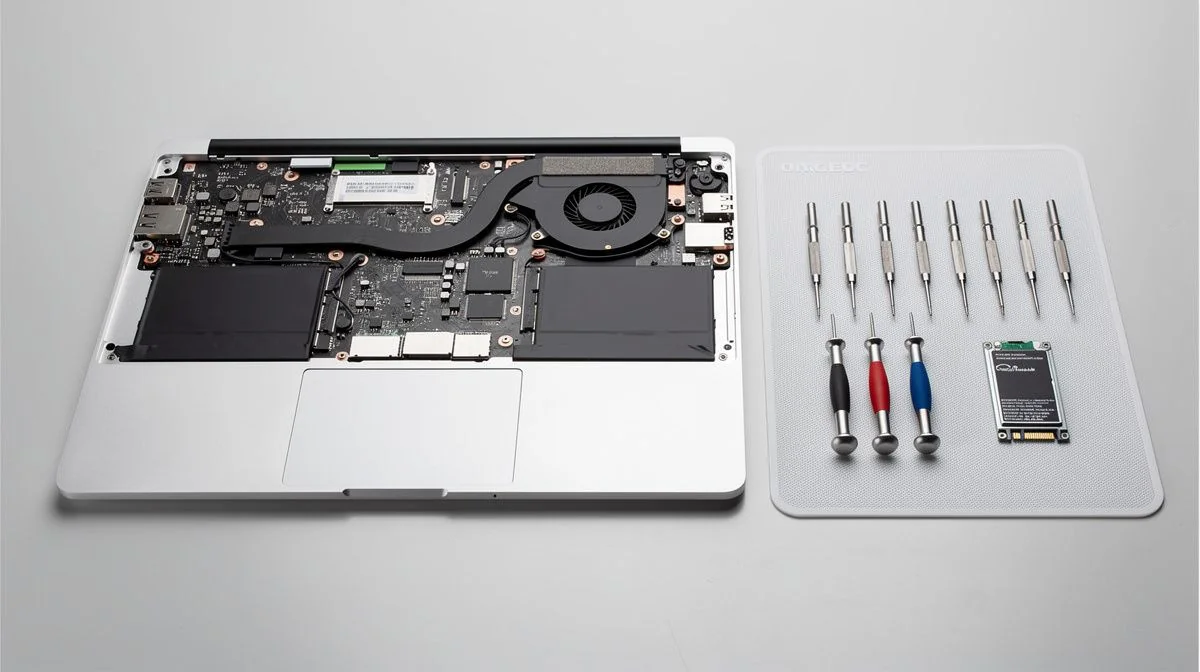
What Happens on a Repair Job
A properly run repair follows a set order, and knowing it tells you whether the whole job happened.
- The machine is assessed, and you are told what the fault is, whether it is worth repairing, and what the likely cost will be.
- You approve a written scope that names the parts, the labour, and anything the price does not cover.
- Your data is backed up before anything touches the operating system, and you are told where that copy goes and how long it is kept.
- The repair is carried out, and the machine is tested rather than simply switched on, including anything disturbed to reach the part.
- You get the machine back with the old part if it was replaced, and you are told what the warranty covers and for how long.
Questions You Might Have
Is it worth repairing an older laptop?
That depends on the machine's value, and an honest technician will tell you when the answer is no. A useful rule is that a repair costing more than roughly half of what a comparable replacement would cost is usually not worth doing, and a firm that says so is worth keeping rather than one that quotes regardless.
Can a repair be done remotely?
Software problems usually can be resolved remotely, and a remote session is cheaper because nothing has to be collected or delivered. Hardware cannot, so a cracked screen, a failing drive or a damaged charging port means the machine has to go to a workshop.
Will I lose my files?
Not in a normal repair, and a firm should be able to explain how it protects them. The repair that carries real risk is a reinstall, which is why a backup first is the standard step rather than an optional extra. If the drive itself has failed, the honest answer is that recovery is a separate job with its own price and no guarantee.
What Matters Most
Computer repair is based on two things: the diagnosis and the price. The diagnosis is what tells you whether to repair at all, and the fixed price is what stops a simple fault from becoming an open hourly bill.
Ask for the fault in plain language, get the job scoped in writing, and ask what happens to your files before anything is wiped. Those three answers separate a repair from a lesson.

The ValueHub Team built this site because finding clear, unbiased financial information in New Zealand was harder than it should be. Every guide is based on real research — we compare the actual fees, terms, and fine print so you don't have to. Our tip: shop around every year, read the policy docs, and never assume loyalty gets you the best deal.— The ValueHub Team
Try our Calculators
Use these free tools to crunch the numbers:
KiwiSaver Fund Comparison
Compare fees, returns, and risk levels across every KiwiSaver fund — the most up to date data in New Zealand.
Currency Converter — USD to NZD
Convert US Dollars to New Zealand Dollars instantly. See the latest exchange rate and 30-day trend.
Mortgage Repayment Calculator
Calculate your weekly, fortnightly, or monthly mortgage repayments. Free NZ mortgage calculator — try different rates, terms, and repayment frequencies.
Compound Interest Calculator
See how your savings grow with compound interest over time. Free NZ compound interest calculator with yearly, monthly, and weekly compounding options.
Term Deposit Calculator
Calculate your term deposit returns before you lock in. Compare interest earned across different terms and rates with ValueHub's free calculator.
Savings Goal Calculator
Calculate how long it will take to reach your savings goal — and what monthly deposit you need to get there. Free NZ savings planner.
Computer Repair Technicians in Other Cities
Latest Guides & Reviews
KiwiSaver and Tax — PIR, ESCT and What You Actually Pay
KiwiSaver is taxed twice — ESCT on your employer's contribution and your PIR on the fund's returns. How each rate is set, and the two most members never check.
reviewInvestNow KiwiSaver Scheme Review
InvestNow KiwiSaver review: 45 open funds, fund charges from 0.03 to 1.38 per cent, and net returns to 30 June 2026.
reviewKernel KiwiSaver Scheme Review
Kernel KiwiSaver review: 25 open funds, fund charges from 0.25 to 0.45 per cent, and net returns to 30 June 2026.
guideTax Debt in New Zealand — The Numbers
Official figures on New Zealand's overdue tax debt: the total, the collectable share, which customer groups hold it, and how much is repaid or written off.